


Once you have the photos you want us to edit in Lightroom Classic, just select them and go to "File → Export as Catalog"
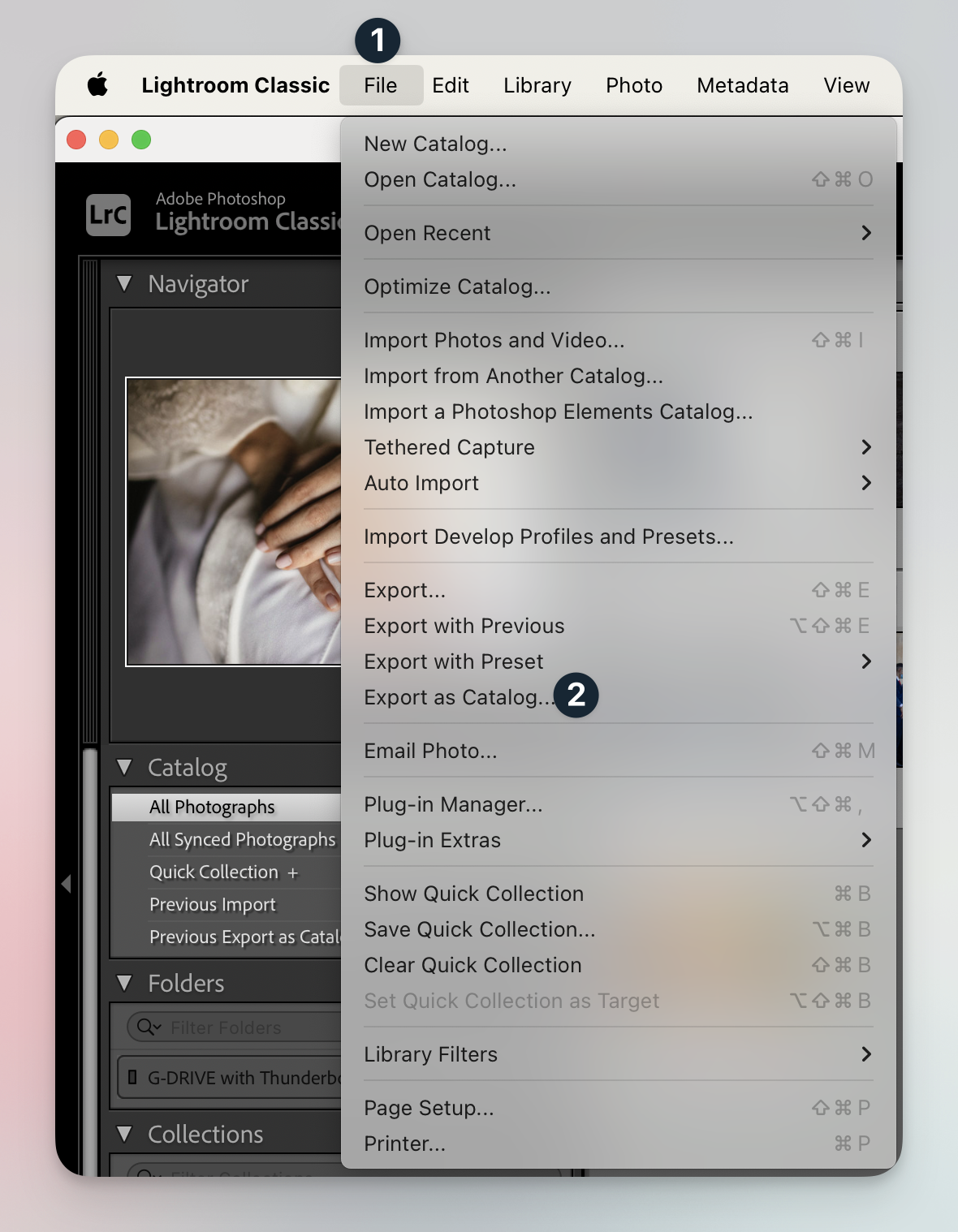
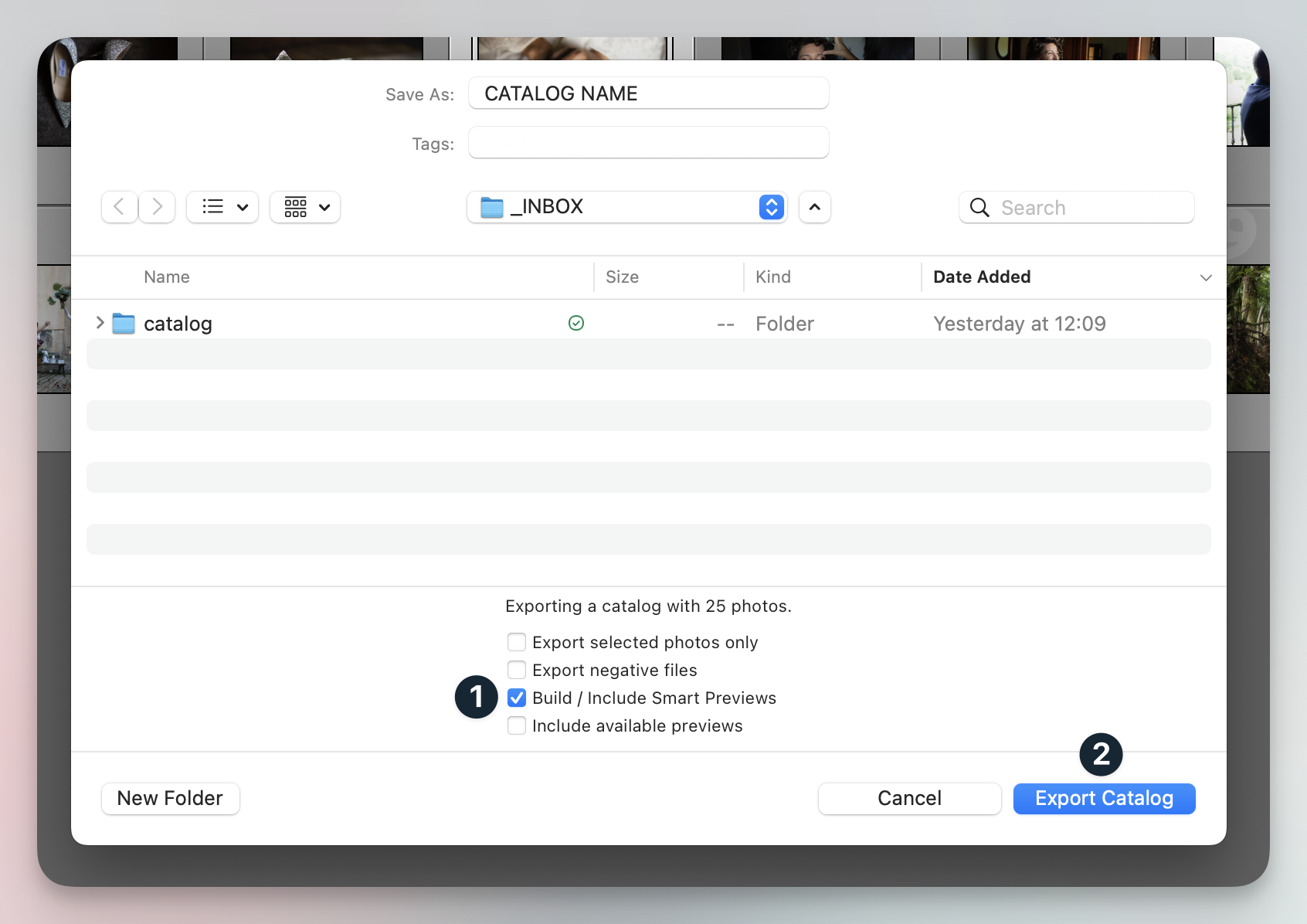
In the next dialog that appears, it's important that you choose only the option "Build / Include Smart Previews" and click "Export Catalog".
Once Lightroom has finished exporting the catalog, simply drag and drop the folder, containing these 3 files:
• The Smart Previews ( 1 )
• The Catalog file ( 2 ) and its Auxiliary file ( 3 )

To avoid upload or compatibility errors, please compress (zip) the entire folder containing the catalog and Smart Previews before sending it through your dashboard. This helps ensure all files arrive correctly and without issues.
Remember to include about 5 to 10% of the photos already edited by you and marked with 5 stars, distributed among the different light situations of the gallery, so we can better understand how to edit the rest of the photos in the gallery and get to know your editing style.
You can read more about how to choose them here
If you have any other questions for us or need any help, please don't hesitate to drop us a line 🙌🏻
